Visualize Core Web Vitals History
Fetches data from the CrUX History API and displays it in charts. You can check origin or URL level data, and pick form factors.
For more information on the API, see Chrome UX Report History API, and read the associate blog post here: 75th Percentile isn't the Only Measure for Core Web Vitals.
Bookmarklet:
Drag this button onto your bookmark bar, and you can click it whilst looking at any URL to load it here: Visualise CWV History
New! Get the Chrome Extension
Get the Chrome Extension to quickly access this tool quicker with a simple right-click. Grab it from the Chrome Store

(Between 1 & 40)
Install as MCP Server - NEW!
You can install this tool as a Model Context Protocol (MCP) server, allowing you to get LCP, CLS, and INP metrics from the CrUX API directly into your favourite AI tool.
To install this tool as an MCP server, follow the instructions in the documentation of your favoured tool. Here's some guides for popular tools.
The MCP server Connection details will look like this:
{
  "mcpServers": {
    "tamethebots-crux-api": {
      "command": "npx",
      "args": [
        "mcp-remote",
        "https://cwvmcp.tamethebots.com/sse"
      ]
    }
  }
}
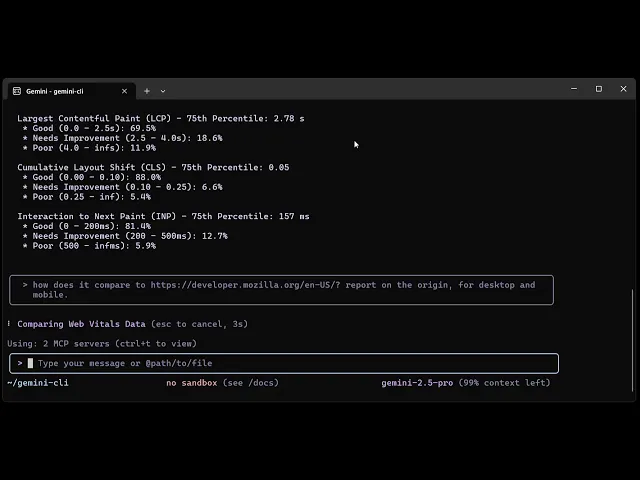
After Installing, you could ask it to check a URL by sending a request to the MCP server, for example:
Are the core web vitals good for https://example.com/?How does LCP compare for https://www.example.com/ on phone vs desktop?
Example:
Find This Useful?
You can help support the cost of these free tools by sponsoring me on github:
Or buy me a coffee at Kofi